Visually Archive, Share, and Analyze Any Web Page
In digital workflows—from design reviews and competitive analysis to bug reporting and content archiving—professionals constantly need to capture and share web content. Built-in browser tools are limited, and complex screen recording software creates friction. WebsiteScreenshot.online solves this by providing a powerful, zero-friction web utility that delivers high-fidelity captures instantly.
Core Value Proposition
WebsiteScreenshot.online is a specialized, cloud-based tool that renders websites in real-time, allowing you to capture them as static images or dynamic videos. It goes beyond simple viewport snaps by capturing entire pages, including content that requires scrolling. The tool leverages headless browser technology to ensure accurate rendering across devices and viewports, delivering production-ready assets without installing software, creating accounts, or dealing with watermarks. Its core value is speed, simplicity, and professional-grade output for anyone who works with the web.
Key Features
- Full-Page & Custom Area Screenshots: Capture the entire length of a webpage, not just the visible viewport. Alternatively, specify exact pixel dimensions for custom resolutions, perfect for simulating specific device views or creating standardized thumbnails.
- Website Video Recording: Generate MP4 or GIF videos of website interactions, automatically scrolling to document user flows, animations, or dynamic content for tutorials, demos, or bug reports.
- Multiple Export Formats: Download captures in the format you need: high-quality PNG, compressed JPEG, print-ready PDF for screenshots, and MP4 or GIF for videos, providing flexibility for any use case.
- Mobile & Desktop Viewport Emulation: Simulate captures from various device types. Test how a site looks on an iPhone, iPad, or desktop monitor directly from the tool, aiding in responsive design checks.
- Zero Registration & Truly Free: Use all core functionality immediately without signing up. There are no hidden fees, usage limits for standard tasks, or mandatory subscriptions, making it ideal for sporadic or high-volume needs.
- Fast Cloud Processing: Offload the rendering workload to scalable cloud servers. Get your screenshot or video processed and ready for download in seconds, regardless of your local machine's performance.
- Direct Link Sharing: Generate a unique, shareable link to your capture job, allowing team members or clients to view or download the output without recreating it.
Who Is This For?
- Developers & QA Engineers: Quickly document UI bugs, responsive design issues, or visual regressions by capturing exact screen states and scrolling behavior to attach to tickets in Jira, GitHub, or Linear.
- Digital Marketers & SEO Specialists: Create visual content for reports, such as competitor website layouts, keyword ranking positions, or ad placements. Record video snippets for social media previews or campaign case studies.
- Designers & Product Managers: Capture full-page mockups or live sites for design comparisons, stakeholder presentations, or user journey mapping. The video feature is perfect for creating simple prototypes or interaction guides.
- Content Creators & Bloggers: Generate high-quality featured images for articles reviewing web tools or services. Create GIFs or short videos to embed in tutorials, newsletters, or online courses demonstrating web-based workflows.
Under the Hood
The tool operates using a secure, server-side headless browser instance (likely Puppeteer or Playwright) to load and fully render the target URL, including JavaScript-executed content. This ensures captures are accurate and match what a real user sees. The processing occurs in isolated sandboxes for security. For video, it automates smooth scrolling and frame capture, stitching them into a seamless video file. The web interface is built for speed, minimizing steps between input and output.
Get Started
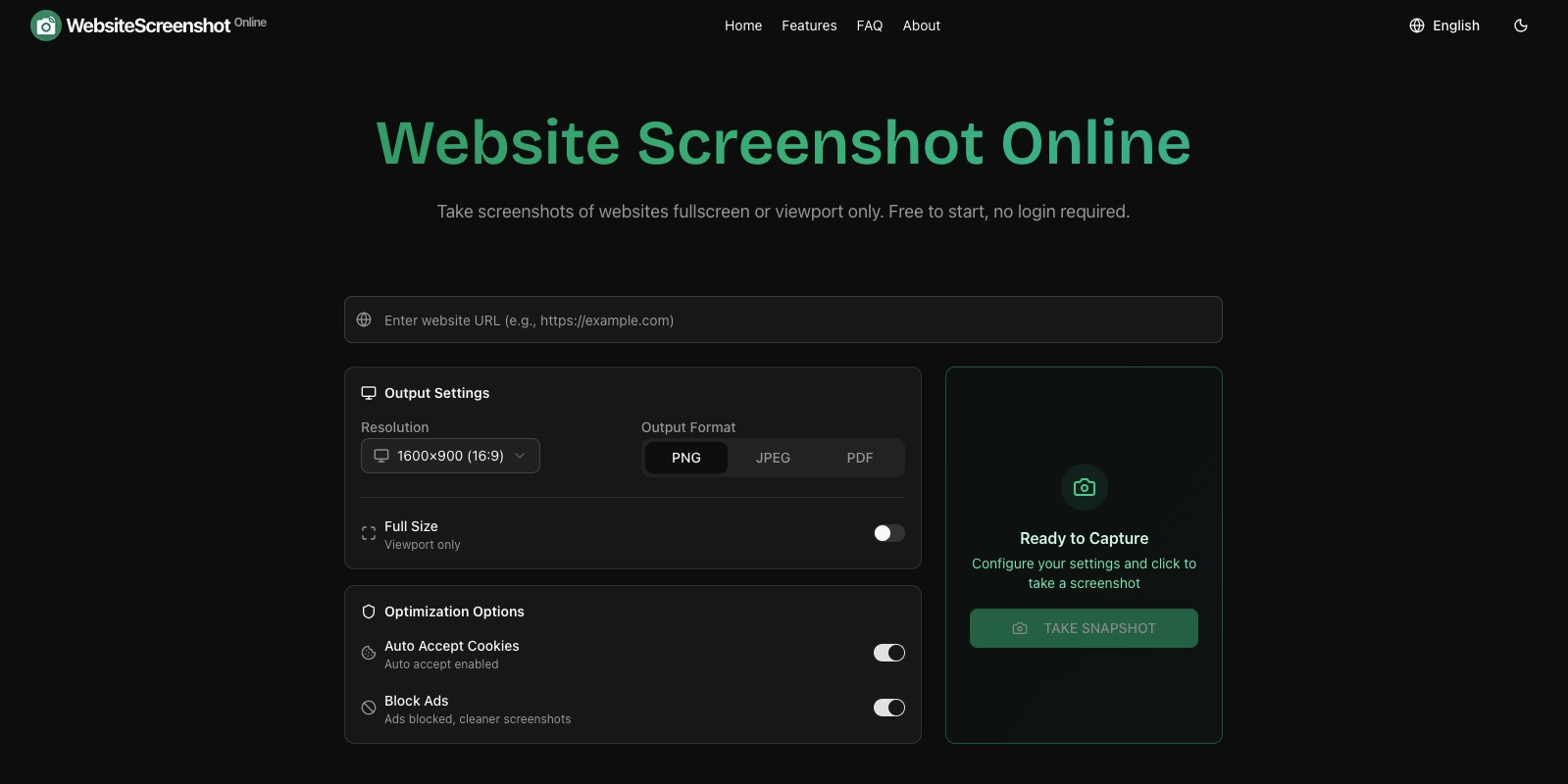
Using WebsiteScreenshot.online is straightforward: navigate to the website, paste the URL of the page you want to capture, and choose your settings (format, device type, full-page vs. custom size). Click the capture button. Within moments, your screenshot or video will be processed and available for download or link sharing. No tutorial is needed—the intuitive interface makes advanced captures accessible in one click.
Eliminate the friction of documenting the web. Whether for a one-time capture or integrated into your daily workflow, WebsiteScreenshot.online delivers professional results instantly and for free.