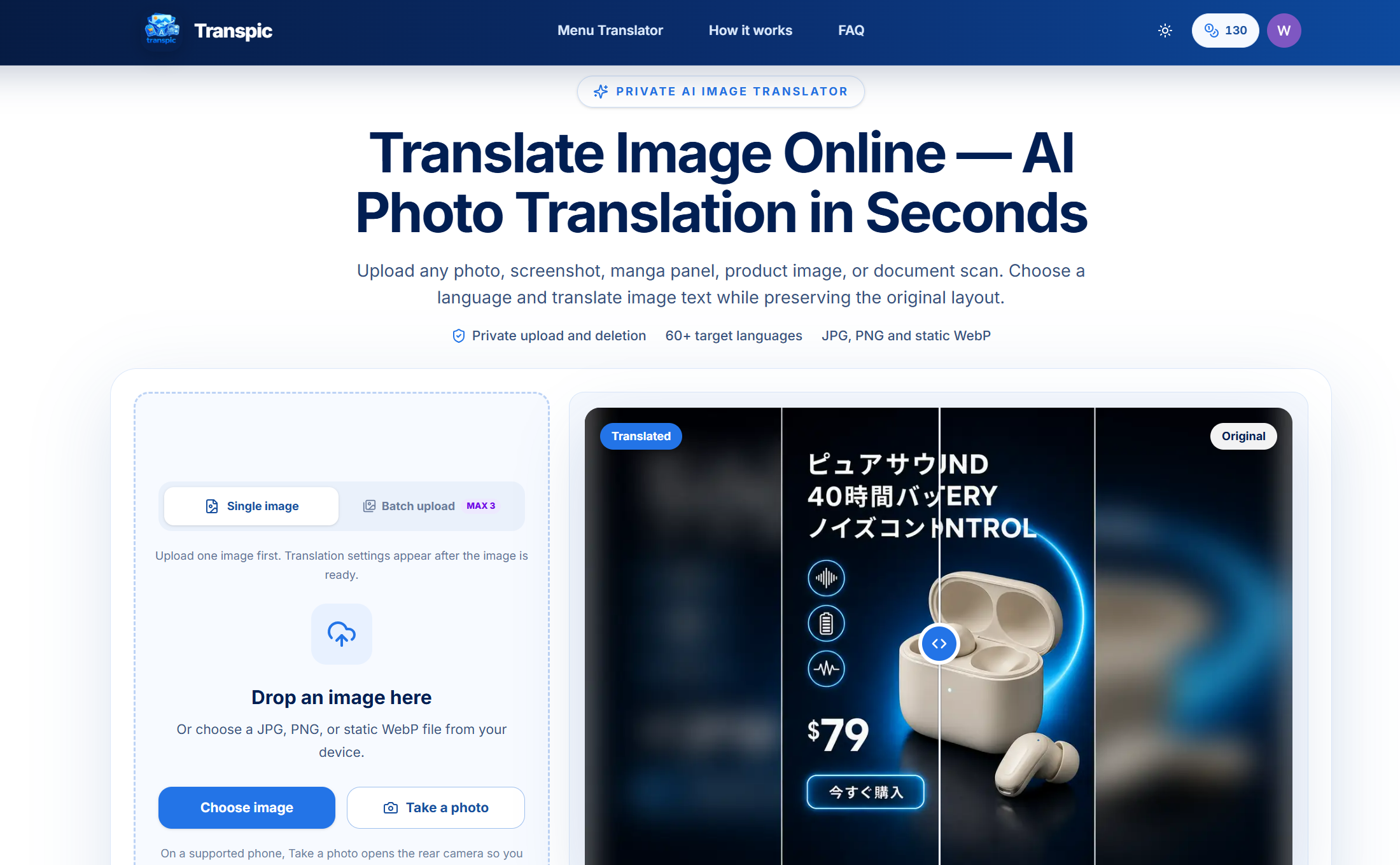
Breaking Down Language Barriers in Visual Content
In today's global digital landscape, visual content—from e-commerce product ads and software screenshots to restaurant menus and manga—often remains trapped behind language barriers. Manually recreating translated versions means tedious hours in design software, risking brand consistency and layout integrity. Transpic AI eliminates this friction with intelligent image translation that understands context, preserves visual elements, and delivers ready-to-use localized assets.
AI-Powered Visual Translation That Understands Context
Transpic goes beyond simple OCR and text replacement. It leverages multiple AI models (including Gemini, ChatGPT, DeepSeek, and Grok) to perform contextual translation where layout, typography, design elements, and even pricing formats are meticulously preserved. The result is a translated image that looks professionally localized, not like a clumsy text overlay. This makes it indispensable for businesses expanding internationally, content creators reaching wider audiences, and individuals navigating foreign-language materials.
Key Features
-
Context-Aware Layout Preservation: Unlike basic tools that overlay text, Transpic's AI analyzes image structure to maintain original fonts, text positioning, background graphics, and element relationships. Your product ad's pricing box, call-to-action button, and logo placement remain perfectly intact.
-
Multi-Model AI Translation Engine: By utilizing a combination of leading AI models, the tool selects the optimal engine for each task—whether it's translating technical documents, casual manga dialogue, or marketing copy—ensuring high accuracy and natural phrasing across 60+ languages.
-
Batch Processing for Workflow Efficiency: Translate entire catalogs of product images, document scans, or marketing materials in one operation. This bulk capability is designed for teams managing large-scale localization projects without sacrificing individual file quality.
-
Specialized Use Case Modes: Dedicated optimizations for e-commerce (preserves prices and CTAs), document translation (maintains formatting), menu translation (handles food descriptions), manga/comics (respects speech bubbles), and screenshot translation (ideal for software UI).
-
Integrated Image-to-Text & Text Removal: Beyond translation, extract clean text from any image for further editing or analysis. The complementary text removal feature can clean product shots by deleting watermarks or labels, creating versatile source material.
-
Zero-Setup, Web-Based Accessibility: No software installation, plugins, or account creation is required. Upload an image, select your target language, and download the professionally translated version—all within a secure, private browser session.
Who Is This For?
-
E-commerce & Global Marketing Teams: Quickly localize product listings, promotional banners, and social media ads for different regional markets while maintaining consistent visual branding and accurate price displays.
-
Developers & Technical Writers: Translate software interface screenshots, documentation diagrams, and tutorial materials without manually recreating complex UI elements or technical annotations.
-
Content Creators & Publishers: Adapt comics, webtoons, infographics, and educational materials for international audiences, preserving the artistic integrity of speech bubbles, captions, and graphical text.
-
Travelers, Students & Researchers: Instantly understand foreign-language menus, street signs, historical documents, or academic papers by uploading a photo and receiving a clear, translated version with original layout cues intact.
Under the Hood
Transpic operates on a sophisticated pipeline: first, advanced OCR detects text regions with high precision; next, AI models analyze visual context, font styles, and text hierarchy; then, translation occurs with attention to domain-specific terminology; finally, the translated text is rendered back into the original layout using font matching and intelligent positioning algorithms. The system processes all images with privacy in mind—uploads are not stored permanently, and no personal data is required.
Get Started
Using Transpic requires no learning curve. Visit the website, drag-and-drop your image (PNG, JPG, or WebP formats supported), select from over 60 target languages, and click translate. Within seconds, you can preview the result, make adjustments if needed, and download the high-resolution output. For batch operations, simply upload multiple files simultaneously. The free tier offers generous usage, making it easy to test the quality before scaling up.
Transpic transforms the cumbersome, multi-step process of visual localization into a single-click operation, empowering global communication through instantly understandable imagery.