Video creators face a fragmented workflow: editing in professional software like DaVinci Resolve or Premiere Pro, then jumping to separate tools for transcription, captioning, and translation. This process is time-consuming, expensive, and creates friction in the content pipeline. Subclip solves this by integrating AI-powered editing, transcription, caption generation, and voice dubbing into a single, streamlined browser application.
Subclip is a next-generation video editor built for the age of AI and distributed content creation. It replaces the complex, multi-tool workflow with an all-in-one platform that handles everything from clipping long-form content to generating studio-quality captions and dubbing videos into 21+ languages. What sets Subclip apart is its focus on the complete post-production cycle within a unified interface, accessible directly from your browser without complex installations.
Key Features
-
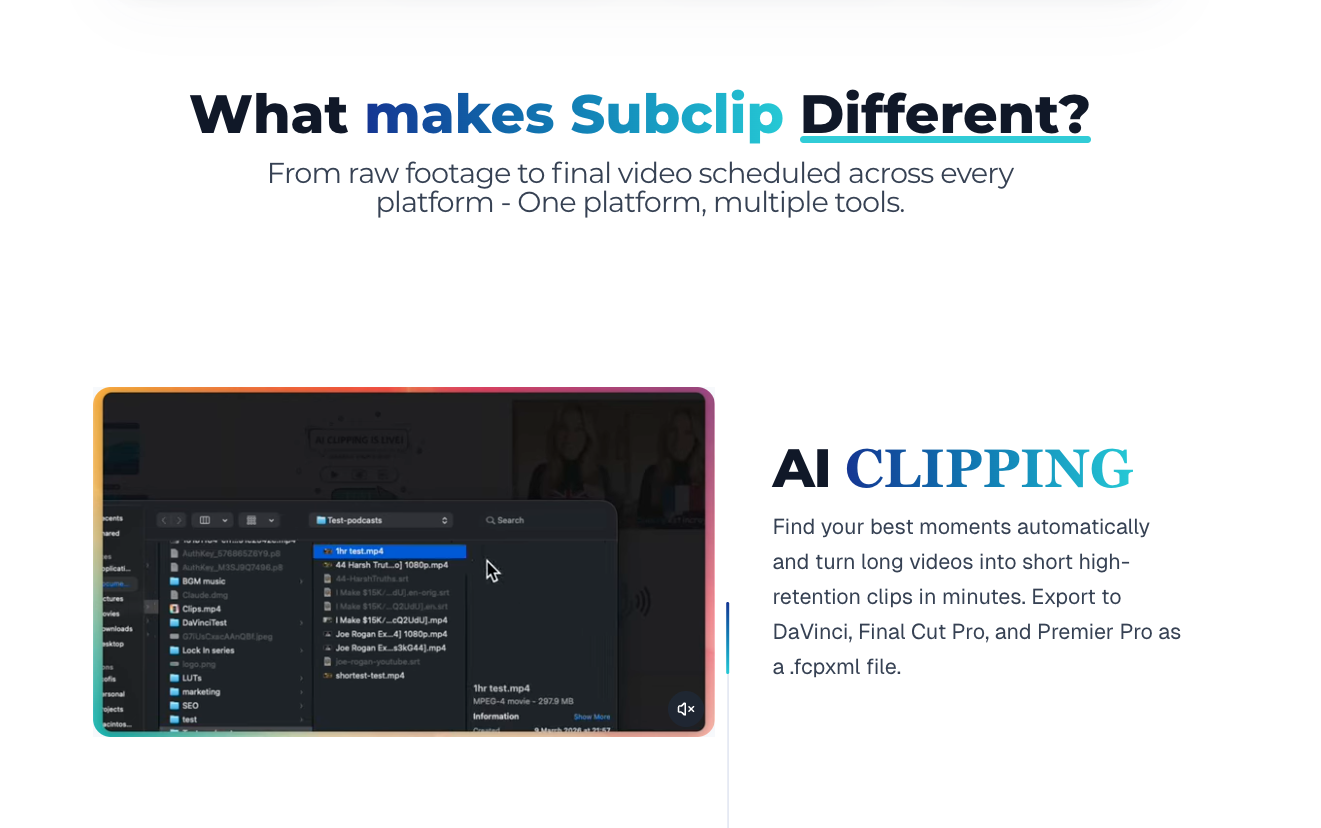
AI-Powered Video Clipping: Automatically identify and extract the most engaging moments from long videos using AI analysis. This transforms hours of raw footage into shareable clips in seconds, perfect for creating highlights, teasers, and social media snippets.
-
Unlimited Transcription & Animated Captions: Generate accurate transcripts for videos of any length, then transform them into beautifully animated subtitles with customizable styles. This feature dramatically improves accessibility and viewer engagement across platforms like YouTube, TikTok, and Instagram Reels.
-
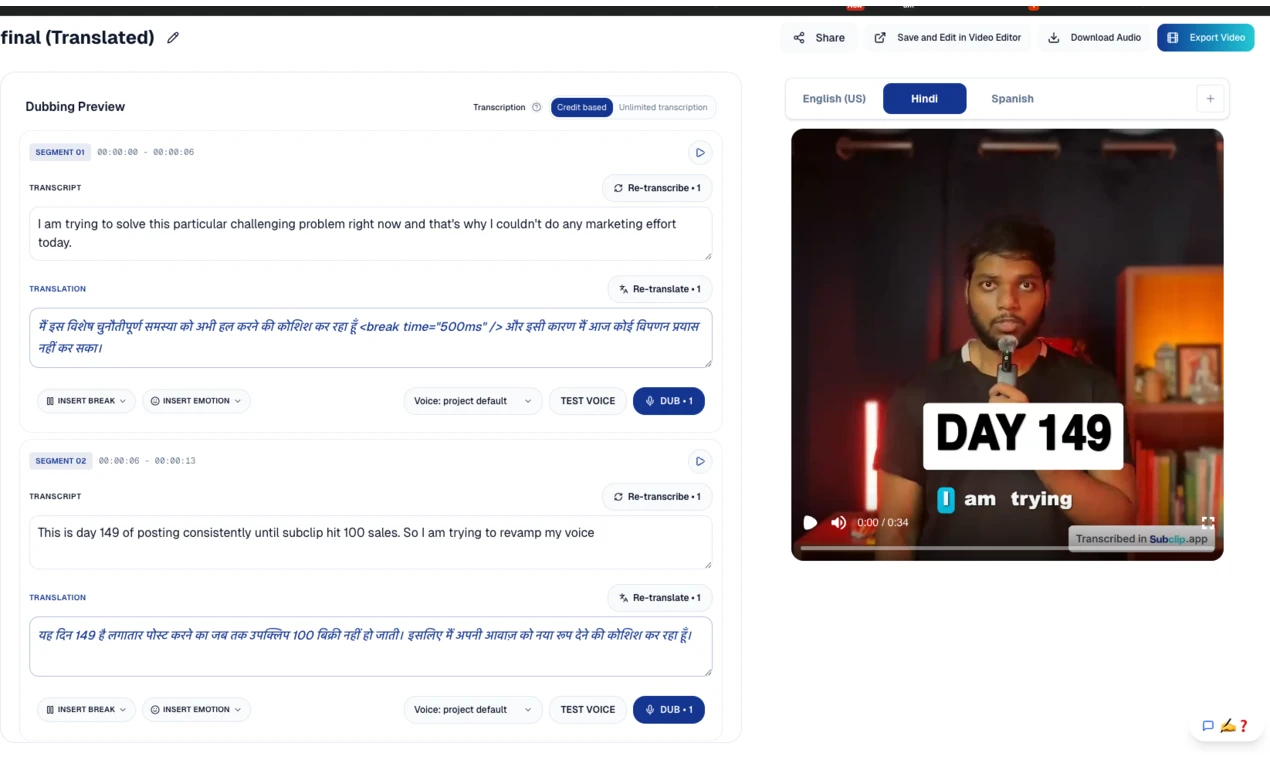
AI Dubbing & Translation in 21+ Languages: Localize your content for global audiences with high-quality AI voice dubbing. Translate and dub videos into languages including Spanish, French, and many others while preserving natural intonation and emotion, eliminating the need for expensive human voice actors.
-
Prompt-Based Motion Graphics: Generate custom motion graphics and visual elements using simple text prompts. This AI design tool allows creators to add professional-quality animations, lower thirds, and effects without needing motion graphics expertise.
-
Voice Enhancement & Audio Cleanup: Improve audio quality by reducing background noise, enhancing clarity, and balancing levels. This turns amateur recordings into professional-sounding audio, crucial for podcasts, interviews, and vlogs.
-
Collaborative Editing & Sharing: Work with team members or clients in real-time with shared projects and commenting features. Export unlimited videos without watermarks, making it suitable for professional agencies and freelancers.
-
AI Thumbnail & Teaser Generation: Create compelling video thumbnails and social media teaser posts automatically. The AI analyzes your content to suggest the most engaging frames and formats for promotion across different platforms.
Who Is This For?
-
Content Creators & Podcasters: Streamline the process of turning long recordings into polished, captioned episodes and promotional clips for multiple platforms without mastering complex editing software.
-
Coaches & Educators: Easily create accessible educational content with accurate captions and translate courses for international students using the AI dubbing feature.
-
Vloggers & Social Media Managers: Rapidly produce platform-optimized content with animated captions, generate engaging teasers, and maintain a consistent posting schedule across YouTube, TikTok, and Instagram.
-
Agencies & Freelancers: Deliver professional video services with faster turnaround times. The collaborative features and unlimited exports make it ideal for client work where branding and quality are paramount.
Under the Hood
Subclip leverages advanced AI models for speech recognition, natural language processing, and voice synthesis to deliver its core features. It operates entirely in the browser, ensuring accessibility and eliminating compatibility issues. The platform integrates a professional-grade editing timeline with AI-assisted tools, supporting exports in formats compatible with major social platforms and professional editing suites.
Get Started
Visit Subclip.app to begin immediately—no download required. The intuitive interface is designed for quick onboarding: upload your video, and the AI will automatically transcribe it. From there, explore the editing tools, experiment with caption styles, or try the one-click dubbing feature. Extensive documentation and tutorial content are available for mastering advanced workflows.
Subclip represents a significant evolution in video creation, empowering professionals and enthusiasts alike to produce high-quality, accessible, and multilingual content with unprecedented efficiency.