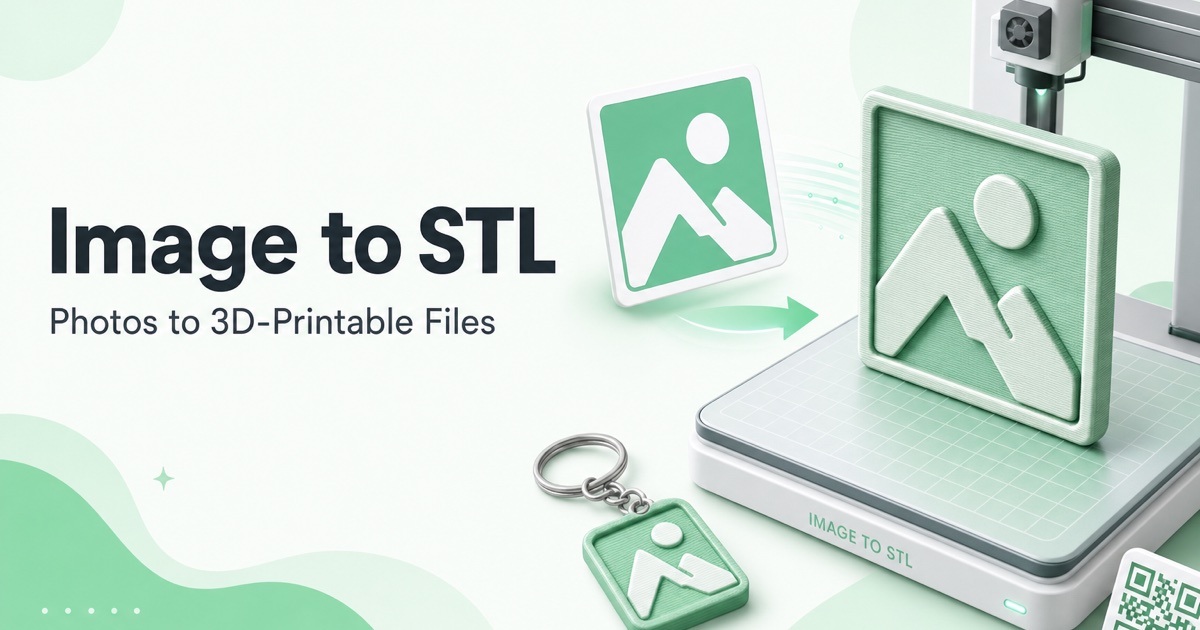
The leap from 2D concept to physical 3D object has long been a barrier for designers, hobbyists, and educators. Complex modeling software carries a steep learning curve, while outsourcing model creation is costly and slow. Image to STL Converter eliminates this friction entirely, providing an instant, web-based bridge that transforms any image into a ready-to-print 3D model in under a second.
Core Value Proposition
Image to STL Converter is a specialized, AI-powered web tool that intelligently interprets the luminance and contrast data within a standard PNG or JPG image and extrudes it into a three-dimensional STL mesh. This process automates the creation of bas-reliefs, lithophanes, logo plaques, and custom keychains directly from your visuals. Unlike bulky CAD suites, it requires zero installation, no technical expertise, and operates with a strict privacy-first approach—your images are processed securely and never stored on their servers.
Key Features
- Lightning-Fast Conversion: Upload an image and receive a downloadable, watertight STL file in under one second, dramatically accelerating the iteration and prototyping process for any project.
- Privacy-First Processing: All conversions happen securely in your browser. Your source images and generated 3D models are never uploaded to or stored on external servers, ensuring complete data ownership and confidentiality.
- No Software Required: As a fully web-based platform, it bypasses the need for complex installations, license fees, or powerful local hardware, making 3D model creation accessible from any modern browser.
- Versatile Output Applications: The tool is engineered to produce optimal models for various 3D printing applications, including detailed lithophanes that reveal images with backlighting, raised logo extrusions for branding, and textured relief art.
- Simple, Intuitive Interface: The user experience is stripped down to its essentials: drag-and-drop upload, automatic processing, and instant download. This eliminates the traditional barriers to 3D content creation.
- Free with No Hidden Costs: The core conversion service is completely free to use without limitations, trials, or watermarks, democratizing access to 3D printing preparation for everyone.
Who Is This For?
- 3D Printing Hobbyists & Makers: Quickly create personalized gifts, home decor, or cosplay props from favorite photos, logos, or digital artwork without learning complex modeling software.
- Educators & Students: Introduce core concepts of digital manufacturing and 3D design in classrooms by allowing students to physically print their drawings or historical images, making abstract ideas tangible.
- Small Businesses & Entrepreneurs: Produce custom branded merchandise, promotional items, or product prototypes directly from company logos and graphics, reducing dependency on external designers for simple 3D assets.
- Artists & Designers: Translate 2D illustrations, sketches, or digital paintings into sculptural forms, opening new avenues for physical art exhibitions, jewelry design, or mixed-media projects.
Under the Hood
The converter utilizes advanced browser-based algorithms to analyze image pixel data, mapping grayscale values to height information to generate a 3D mesh. This client-side processing ensures speed and privacy. The output is a standardized, manifold STL file that is universally compatible with slicer software like Cura, PrusaSlicer, or Simplify3D, ready for FDM, SLA, or other 3D printing technologies.
Get Started
Getting started is effortless: navigate to the website, drag your PNG or JPG image onto the upload zone, and within a second, your STL file will be ready for download. No account creation, no tutorials, and no cost. You can immediately import the file into your preferred slicer to prepare for printing.
By removing the technical and financial barriers to 3D model creation, Image to STL Converter empowers a new wave of creativity and practical application, turning fleeting images into lasting, physical objects.